MEDIA

The Hidden Maintenance Work Behind Reliable Automation
Reliable automation is not “set it and forget it.” After launch, someone must monitor outcomes, review exceptions, renew credentials, adapt to vendor changes, check data quality, test updates, maintain documentation, and decide when to pause or retire the workflow. If that work has no owner, schedule, evidence, or budget, the automation is borrowing reliability from the future.
The maintenance load does not mean automation is a bad investment. It means the business should compare an automated process with the full cost of operating it—not with a perfect demo. Good maintenance is usually cheaper than surprise failures, manual cleanup, and lost confidence.
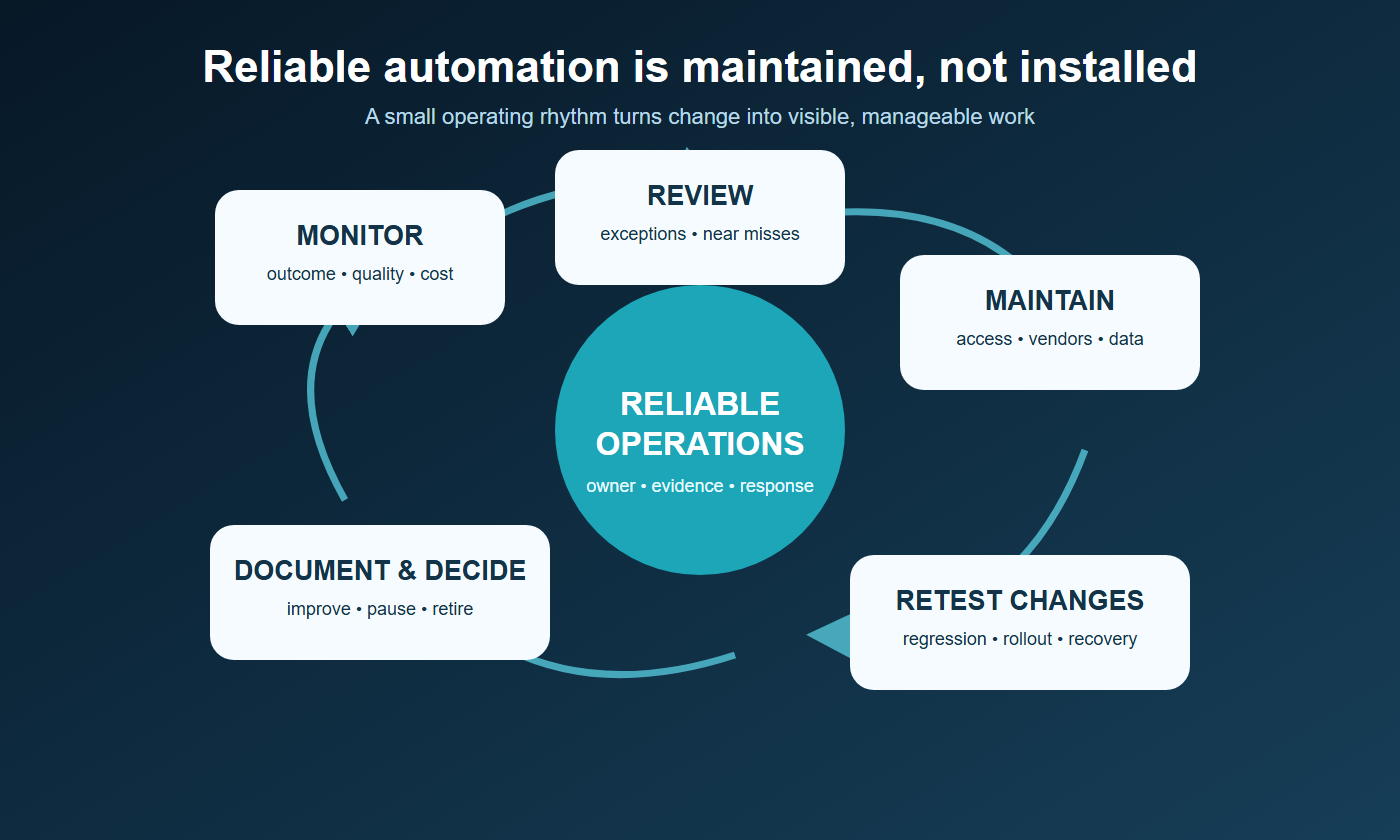
What changes after launch
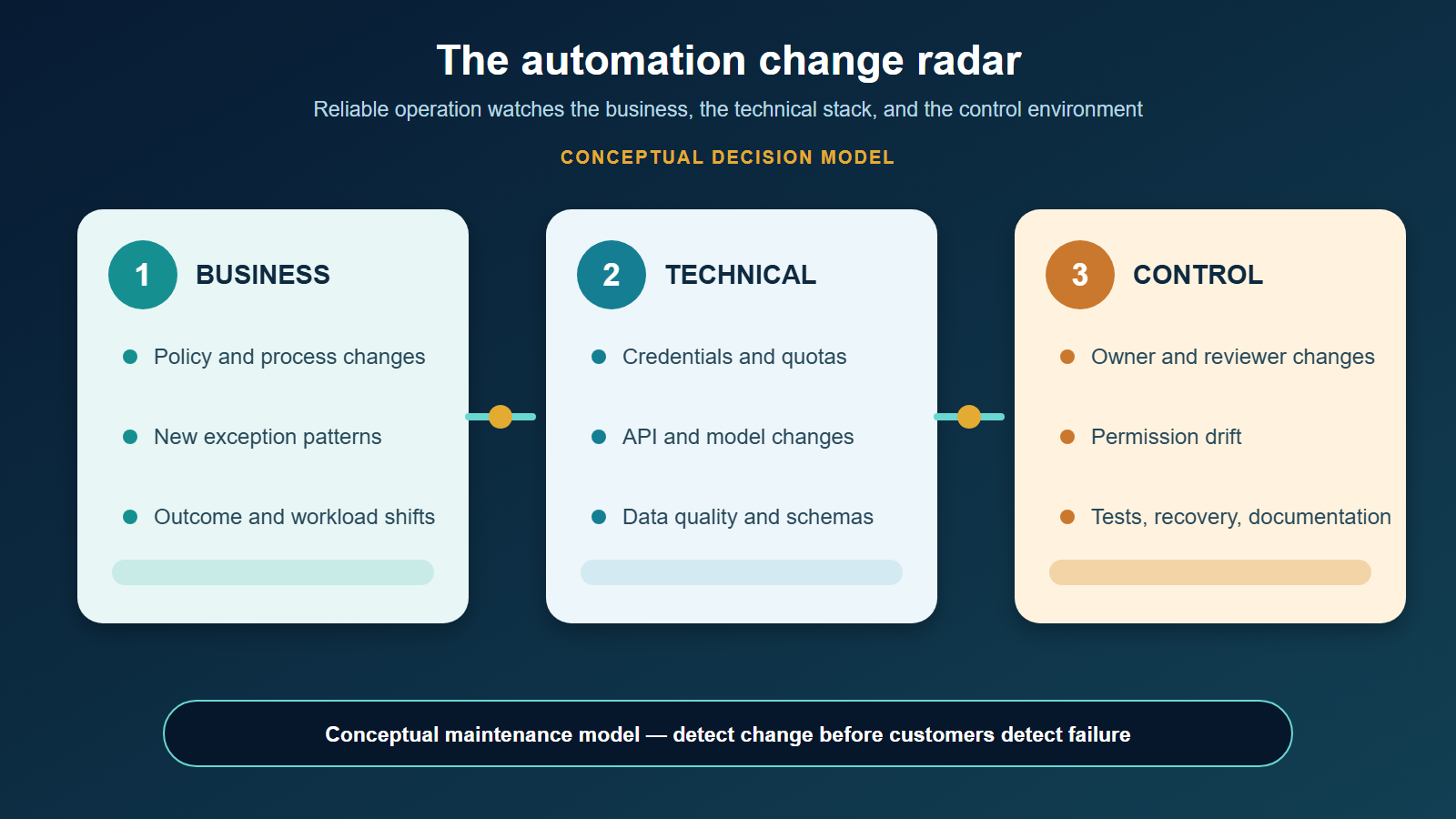
An automation sits inside a living system. Customers change what they submit. Employees use the workflow in unexpected ways. Source data accumulates errors. Vendors update interfaces, models, prices, limits, and policies. Passwords expire, staff leave, integrations lose permission, and business rules evolve.
AI adds another source of variability: the same system can encounter new language, unusual combinations of facts, or shifting real-world conditions that were absent from the test set. NIST’s 2026 report on deployed AI monitoring notes that post-deployment monitoring helps validate real-world reliability, track unforeseen outputs or drift, and identify unexpected consequences.
The right response is not constant alarm. It is a small operating rhythm that makes change visible.
Seven maintenance jobs the demo rarely shows
1. Monitor the business outcome
Track whether the workflow still improves the result it was built for. Useful measures may include completion time, backlog, acceptable-output rate, correction time, cost per completed case, customer response, and the percentage of work sent to a person.
Technical success is not business success. A workflow can run without errors while creating longer review queues or lower-quality customer communication. Compare production results with the original baseline and renewal threshold.
2. Review exceptions and near misses
Exceptions reveal where rules, instructions, data, or boundaries need attention. Sample rejected cases, overrides, customer complaints, unusual costs, unsupported claims, repeated retries, and situations that almost produced a harmful action.
Do not hide these events by forcing every case to finish automatically. A visible handoff is often evidence that a safety control worked. Group exceptions by cause and fix patterns, not isolated symptoms.
3. Maintain credentials and access
Integrations depend on accounts, API keys, tokens, permissions, certificates, and service identities. They can expire, be revoked, exceed quotas, or remain attached to a departed employee.
Inventory every connection with an owner, purpose, privilege level, renewal or rotation requirement, last verification, and emergency revocation path. Use dedicated business-controlled identities where the platform supports them, and remove access that is no longer needed.
4. Watch vendor and dependency changes
Maintain a list of models, platforms, connectors, libraries, APIs, and data sources the workflow needs. Review release notes, deprecations, pricing changes, rate limits, security notices, support dates, and material term changes.
A vendor update may improve capability while changing output style, latency, compatibility, or review effort. NIST recommends reviewing third-party release schedules and change-management plans and monitoring external components throughout operation. CISA’s small-business vendor guidance also calls attention to version tracking, updates, patch history, and customer responsibilities.
5. Check data quality and context
Automation magnifies stale records, inconsistent categories, missing fields, duplicated customers, outdated policies, and poorly governed reference material. Schedule checks for completeness, validity, timeliness, duplication, access, and provenance.
When the business changes a policy, do not assume every prompt, knowledge collection, template, and downstream report changed with it. Maintain an authoritative source and identify which workflows depend on it. Our data-cleaning guide provides a practical starting point.
6. Re-test before and after changes
Keep a compact regression set containing normal cases, known exceptions, permission limits, malformed inputs, sensitive-data scenarios, and cases that must reach a person. Run it when instructions, models, integrations, schemas, rules, or vendor versions change.
Record the tested version, date, results, reviewer, and decision. A successful test does not guarantee future behavior, but it makes changes deliberate and comparable. For consequential workflows, use staged rollout, lower authority, or a limited group before broad release.
7. Keep documentation usable
The operating record should tell a new qualified owner what the workflow does, why it exists, which systems and data it uses, who approves changes, how to monitor it, what alerts mean, how to handle exceptions, and how to stop or recover it.
Update documentation during the change, not months later. Include diagrams, owners, dependencies, credentials locations—not the secrets themselves—test evidence, known limitations, vendor contacts, incident steps, and decommissioning instructions.
Put maintenance on a practical cadence
| Cadence | Typical review |
|---|---|
| Continuous or per run | Hard failures, permission errors, duplicate actions, cost limits, unsafe or invalid outputs |
| Daily or weekly | Exception queue, backlog, user reports, quality sample, unusual spend |
| Monthly | Outcome trend, access inventory, data quality, vendor notices, recurring root causes |
| Quarterly | Regression test, dependency review, recovery drill, documentation and ownership check |
| At every material change | Approval, test evidence, staged rollout, rollback or bypass plan |
| At renewal | Total cost, value achieved, contract and data terms, alternatives, exit readiness |
Cadence should reflect consequence and volume. A low-volume internal drafting aid may need a small monthly sample. An automation that sends external messages, changes financial records, or affects customer access needs tighter monitoring and faster escalation.
Assign four kinds of ownership
One person may hold several roles in a small company, but the responsibilities should still be explicit:
- Business owner: defines the outcome, acceptable use, and renewal decision.
- System owner: maintains configuration, dependencies, access, monitoring, and recovery.
- Reviewer: samples outcomes and decides whether quality and policy thresholds are met.
- Incident decision-maker: can pause, bypass, roll back, notify, or decommission the workflow.
Avoid assigning the whole system to “IT” or “the consultant.” Name people and backups. If only one external contractor understands the workflow, documentation, account control, and handoff testing are maintenance priorities.
Use alerts that lead to actions
An alert without a response rule creates noise. For each alert, define the threshold, evidence, recipient, response time, first diagnostic check, allowed corrective action, escalation point, and closure record.
Examples include a failed connection, repeated retry, missing required field, sudden fall in accepted outputs, unusual token or transaction cost, growth in human corrections, unapproved model change, or action attempted outside an authority boundary.
Where the condition and response are deterministic, implement the check directly in code. Do not spend a model turn asking whether a credential expired, a queue crossed a fixed limit, or a scheduled job ran. Reserve model judgment for an identified interpretation task, and verify deterministic monitoring still works when model access is unavailable.
Budget maintenance before approving the automation
Estimate recurring hours and cost for monitoring, review, vendor administration, credentials, testing, documentation, incident handling, training, and improvement. Add these to subscriptions, usage, hosting, and integration costs.
Then compare the total with verified savings or capacity. The AI automation ROI guide explains how to include review and exception labor rather than counting every automated minute as saved.
A useful rule is to reserve an explicit maintenance allowance during the first months, when real exceptions and hidden dependencies are most likely to appear. Adjust it using evidence instead of assuming the work disappears.
A simple reliable-operations checklist
Before calling an automation operational, confirm that:
- a named owner and backup exist;
- outcome, quality, cost, and failure measures are visible;
- exceptions reach a defined queue and person;
- access and dependencies are inventoried;
- regression cases and change approval are documented;
- alerts have response rules;
- a manual bypass or safe pause exists;
- incident and recovery steps are usable;
- documentation reflects the deployed version; and
- renewal and decommissioning decisions have dates.
NIST’s AI Risk Management Framework calls for post-deployment monitoring, user feedback, override, incident response, recovery, change management, and decommissioning. The small-business version of that idea is straightforward: know what changed, detect what matters, give someone authority to respond, and preserve evidence of the decision.
Continue with How to Document a Workflow Before You Automate It and How to Set Approval Rules for AI-Assisted Work when available, or return to the AI Operations & Command Centers hub.
Readers building a coordinated operating system can explore The AI Agent Entrepreneur, Volume I. The book’s implementation materials go beyond this public maintenance framework and are not reproduced here.
Reserve maintenance capacity before launch
Name a primary owner, a backup, and a recurring review window before the workflow goes live. If nobody has protected time to inspect exceptions, vendor changes, credentials, costs, and regression results, maintenance will arrive only after failure. Capacity is part of the design, not an administrative detail added later.